
Early access is open
Business email for your company, on your own domain.
Mailboxes for your whole team in one shared storage pool, guided domain setup and security that is on from day one — managed from one dashboard in Arabic or English.
- Your own domain
- 10 GB shared per company
- TLS on every connection
- Arabic and English
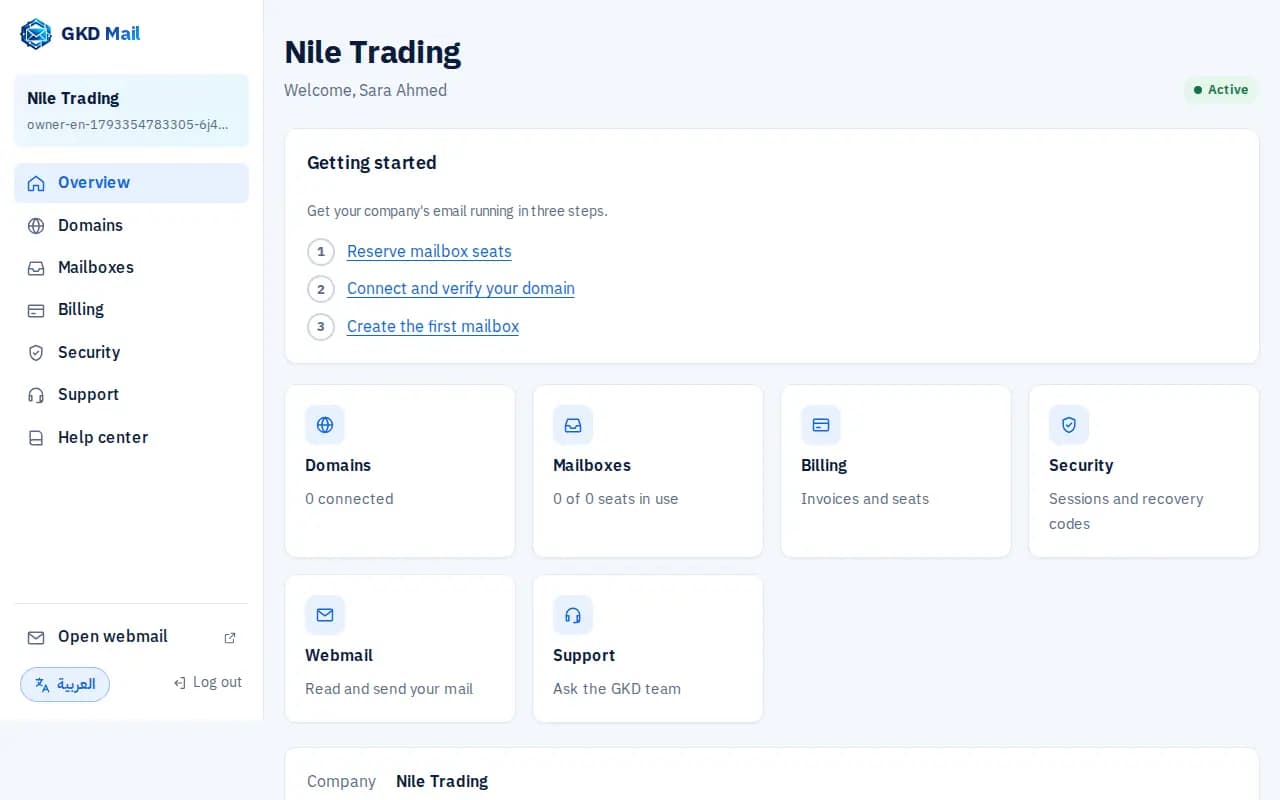
The real dashboard
One place to run your company's email
GKD Mail gives each employee a mailbox on your company's domain. You connect the domain, create the mailboxes and pay one annual invoice; your team reads mail in the browser or in the mail apps they already use.
For the company owner
Domains, mailboxes, storage, invoices and support tickets in one dashboard.
For the team
Webmail in the browser, or any phone and desktop mail app over IMAP and SMTP.
For your peace of mind
Encrypted connections, spam and virus filtering, and an audit trail of sensitive actions.
What GKD Mail does today
Every feature below is live in the dashboard now.
Your own domain
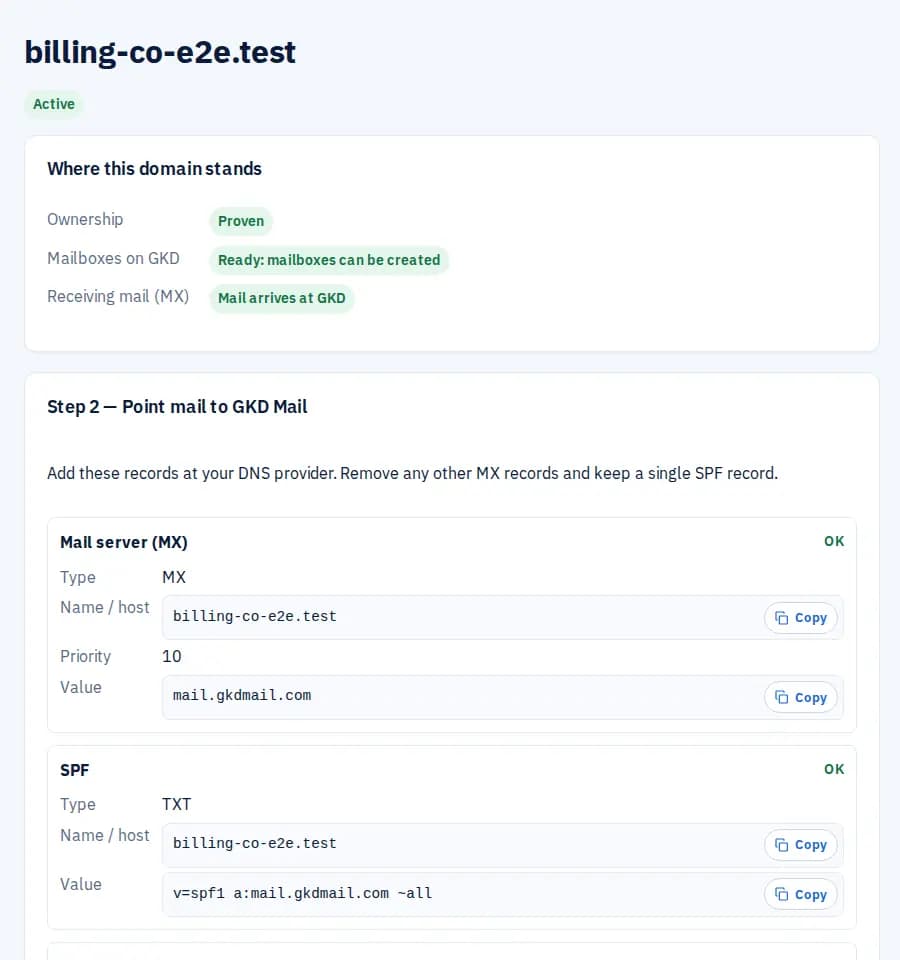
Addresses like [email protected]. The dashboard shows the exact MX, SPF, DKIM and DMARC records and checks them for you.
Cloudflare in one step
Domain on Cloudflare? Paste a limited token and GKD adds the records, then verifies the domain.
One shared storage pool
The first paid mailbox includes 10 GB shared by the whole company. Add more in 10 GB blocks when you need it.
Move without losing mail
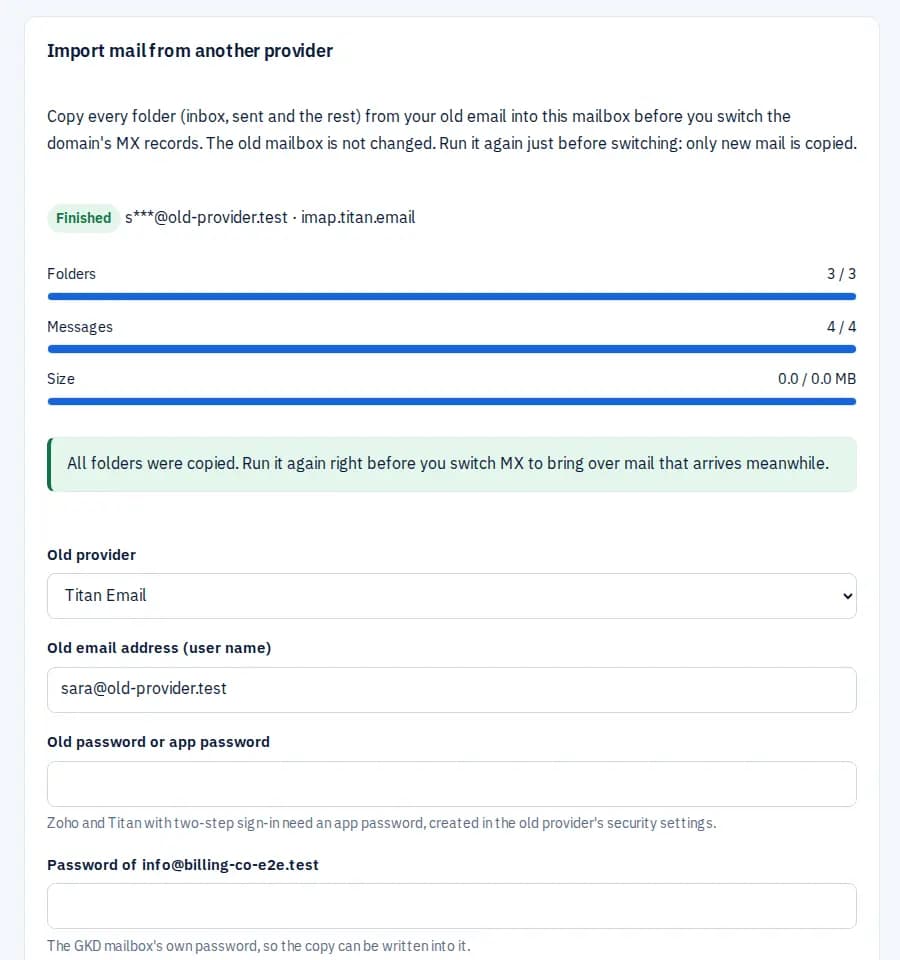
Copy every folder from your old provider into the new mailbox before you switch MX. The old mailbox is not changed.
Set up any device
One page with the settings for phones and computers, an Apple setup profile, and automatic setup for Thunderbird and, with one DNS record, Outlook.
Webmail in the browser
Read and send mail at webmail.gkdmail.com, with several mailboxes in one browser.
Security by default
Owners must use two-factor authentication, with recovery codes and passkeys. Any session can be signed out.
Clear billing in QAR
One annual invoice in Qatari riyals, paid by card through SADAD or by bank transfer, with the PDF invoice and receipt by email.
Help in two languages
Support tickets answered by the GKD team, a help centre and a public status page, in Arabic and English.
A look inside the dashboard
Real screens from GKD Mail.
See exactly where your domain stands
Ownership, mailbox readiness and mail delivery, each with its own status, and every DNS record with a copy button and a live check.
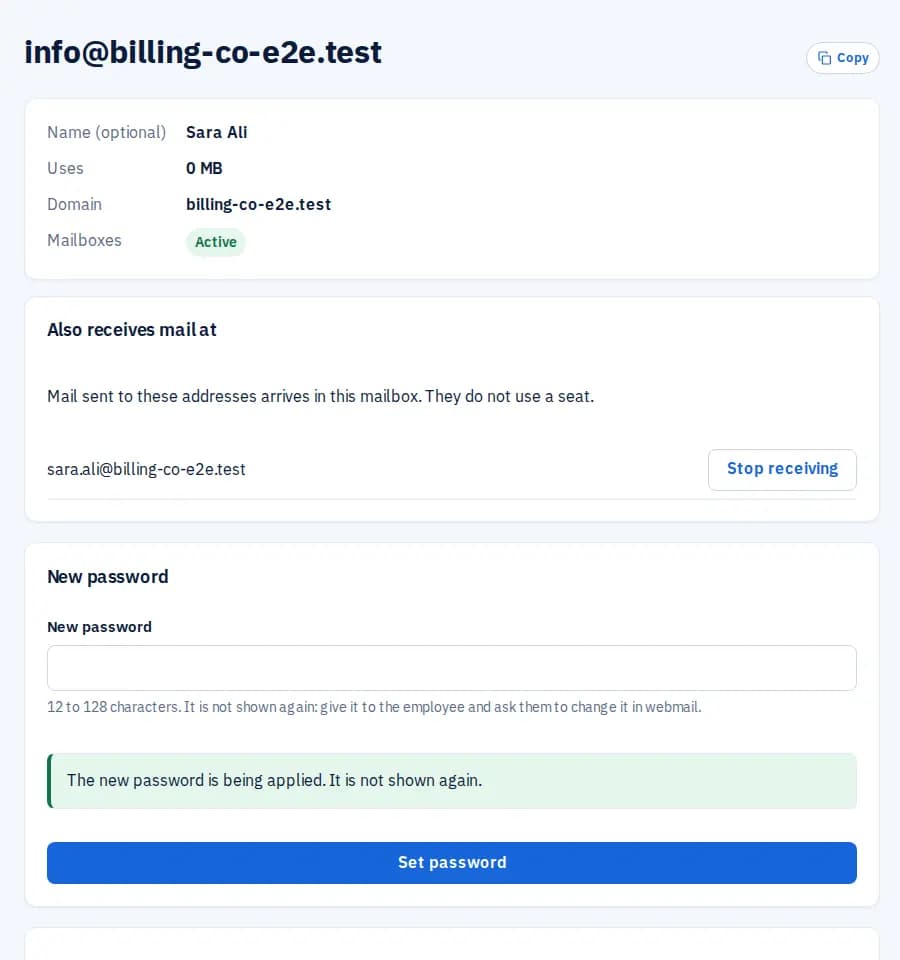
Mailboxes your team can start using today
Create a mailbox per employee, set or reset its password, rename it while keeping the old address, or suspend it.
Bring your old mail with you
Folders, messages and size are copied and counted. Run it again right before the MX switch to bring over new mail.
Set up phones and computers in minutes
One page per mailbox with the incoming and outgoing servers, plus steps for Outlook, Apple Mail, Gmail and other apps.
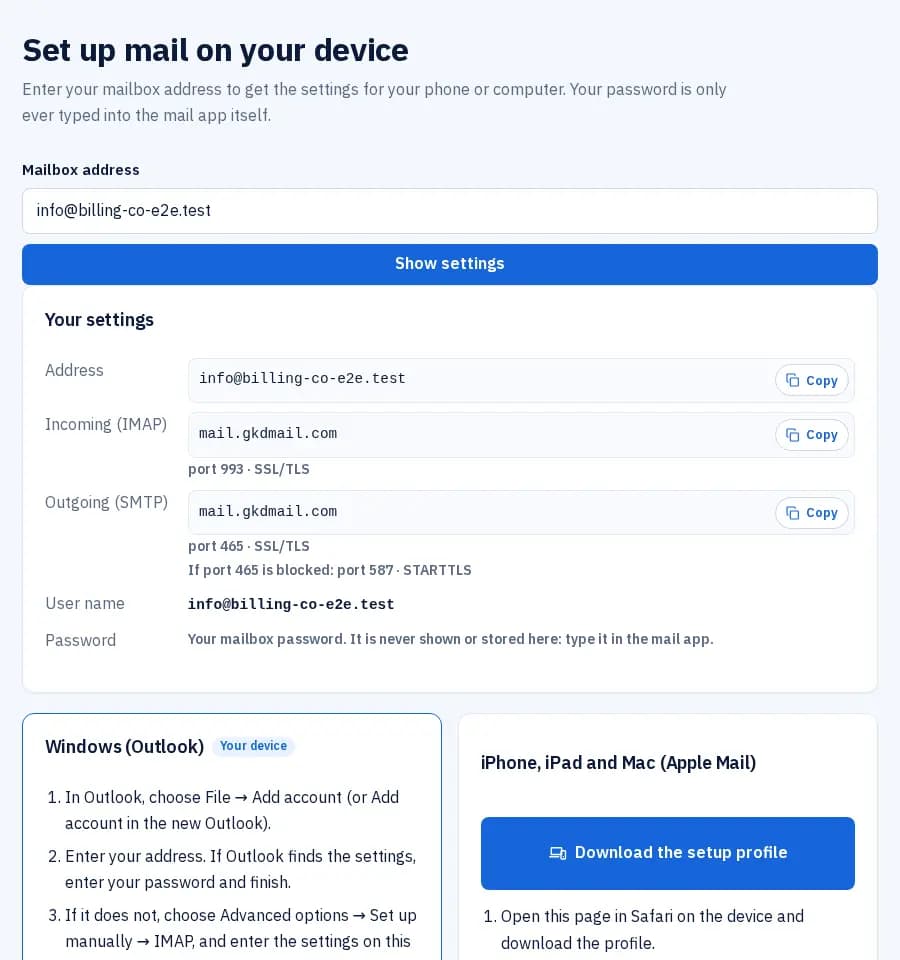
Screenshots taken from the product in automated tests, with sample company data.
How it works
The same steps the dashboard walks you through.
Create your company account
Sign up with your work email, confirm it, and turn on two-factor authentication.
Reserve your mailboxes
Choose how many mailboxes you need and pay the annual invoice by card (SADAD) or bank transfer.
Connect your domain
Add the DNS records the dashboard shows, or let Cloudflare add them. You can do this before paying.
Create mailboxes and connect devices
Import old mail if you are moving, then set up phones and computers from one page.
Security that is on from day one
Every company gets the same protection: no add-ons, nothing to remember to switch on.
Encrypted connections
Webmail, IMAP and SMTP over TLS only.
Spam and virus filtering
Incoming mail is checked before it reaches the inbox.
Sender authentication
SPF, DKIM and DMARC for your domain, with a live checker.
Audit trail
Sensitive actions are recorded and visible to the company owner.
Ready to move your company's email?
Create your company account in a minute, then add your domain.